Quivers Upgradeable & Dyeable Mod (26.3, 26.1.2)
Quivers Upgradeable & Dyeable Mod equips you with wearable arrow bags that hold all your ammo in a single inventory slot. You keep vanilla and modded arrows together inside one pouch instead of losing space to separate stacks. A quick shortcut lets you swap active arrow types right when you hold a bow or crossbow. You can also dye the bag in custom colors and upgrade it with stronger materials to carry more stacks.
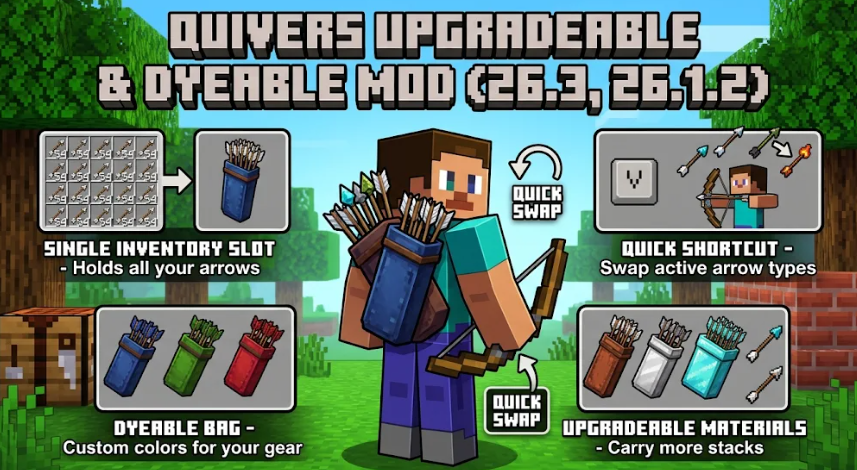
Features:
- Single-Slot Storage: Carries multiple stacks of both vanilla and modded arrows inside one inventory space.
- Quick Ammo Switching: Lets you cycle through your stored arrow types on the fly while holding a bow or crossbow.
- Custom Dye Colors: Follows standard leather armor dyeing rules so you can mix dyes for custom shades and wash them off in a cauldron.
- Visible Back Model: Shows the colored quiver on your character’s back over your draw-hand shoulder for nearby players to see.
- Picks up arrows from the ground and puts them straight into the pouch automatically.
- Displays all stored arrows in a preview tooltip when you hover your cursor over the item.
- Works optionally with Curios on NeoForge and Trinkets Updated on Fabric to give the pouch its own equipment slot, and your bow draws from the worn quiver first.
- Includes a built-in settings menu where you can turn off auto-pickup or hide back models for yourself and other players.
Quiver Tiers:
- Leather Quiver: Holds 3 arrow slots.
- Iron Quiver: Holds 4 arrow slots.
- Diamond Quiver: Holds 6 arrow slots.
- Netherite Quiver: Holds 8 arrow slots.
How to Use:
- Craft a Leather Quiver by placing 3 leather in a vertical line with 1 string to the left of the middle leather.
- Store arrows by walking over them on the ground, dropping arrows onto the quiver, dropping the quiver onto arrows, or opening the quiver window to drag them in by hand.
- Hold a bow or crossbow and press Alt + Scroll to select your active arrow type (you can rebind this shortcut in the game’s Controls settings).
- Combine any quiver with 1 Iron Ingot, Diamond, or Netherite Ingot to upgrade it directly to that tier, regardless of its current tier.
- Click the button in the top-right corner of the quiver window to change your auto-pickup and back visibility preferences.