Afterburner Mod (26.3, 1.21.1)
Afterburner Mod optimizes Minecraft so the game runs faster and smoother without changing how it looks or plays. This mod works on singleplayer clients, multiplayer servers, or both at the same time. It cuts down lag across chunk drawing, memory use, world generation, lighting, and server ticks. Every single optimization has an on-and-off switch in the settings, and the mod steps aside automatically if another mod in your folder already handles the same job.
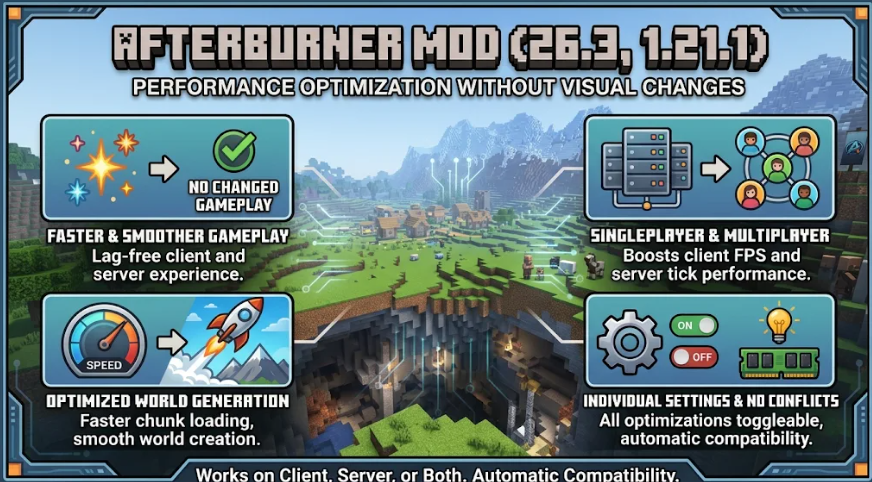
Features:
- Faster Chunk Drawing: Groups nearby chunks together and skips block faces, tree leaves, mobs, chests, and caves hidden behind hills or walls so your graphics card does less work.
- Lower Memory Use: Frees up extra block copies, shrinks chunk data in your RAM, and gives unused memory back to your computer while the game is paused or minimized.
- Multi-Core World Generation: Uses all of your CPU cores at once to place trees, ores, and structures faster as you travel into new land.
- Smoother Server Ticks: Puts idle furnaces, campfires, and empty hoppers to sleep while speeding up lighting, mob AI, water flow, TNT explosions, and redstone dust.
- Builds chunks around you before you turn the camera so fewer empty holes pop up when you look behind you.
- Cuts down texture reading work while keeping the exact same visual quality on screen.
- Packs multiplayer network data once for groups of players to lower server join times and save internet bandwidth.
- Sends smaller chunk files to players on slow internet connections and reuses chunks already saved on their disk.
- Measures player ping right when replies arrive and sends block placements or attacks the moment you click.
- Lets server owners set custom dropped item limits and slower mob thinking distances for the Overworld, the Nether, and the End.
- Includes optional settings, turned off by default, for shader packs, screen upscaling, and distant terrain past your normal render distance.
Commands:
/afterburner slow <player>: Gives a player with a slow internet connection a smaller view distance and stronger data compression (operator only)./afterburner net: Shows the network packets the server sends to each player sorted by packet type (operator only).
Configuration:
config/afterburner.properties: Main settings file where you can turn individual optimizations on or off outside the video menu.config/afterburner-dimensions.properties: Server settings file for separate rules in the Overworld, the Nether, the End, and other dimensions.dimensionItems: Controls how long dropped items last, how close they must be to stack together, and the max item count per chunk.farMobAi: Sets the distance from a player where distant mobs start thinking less often in each dimension.
How to Use:
- Open the in-game Video Settings menu to switch individual performance options or experimental features on and off.
- On a Fabric client joining a server running Afterburner Mod, turn on the smaller chunks option in your settings if you have a slow internet connection.
- To cut down brief memory freezes, open your Minecraft launcher’s JVM arguments and replace
-XX:+UseG1GCwith-XX:+UseZGC(do not keep both at the same time, or the game fails to start).