Player Animation Library More Rotation Mod (26.2, 1.21.1)
Player Animation Library More Rotation Mod extends Player Animation Library and bendable-cuboids with better player animation rotation, bend deformation, and playback sync. This library mod improves multi-axis rotation for body bends and held items so custom player actions look complete and natural. It also keeps older animations working while giving other mods reusable tools to play, stop, and sync animations across servers.
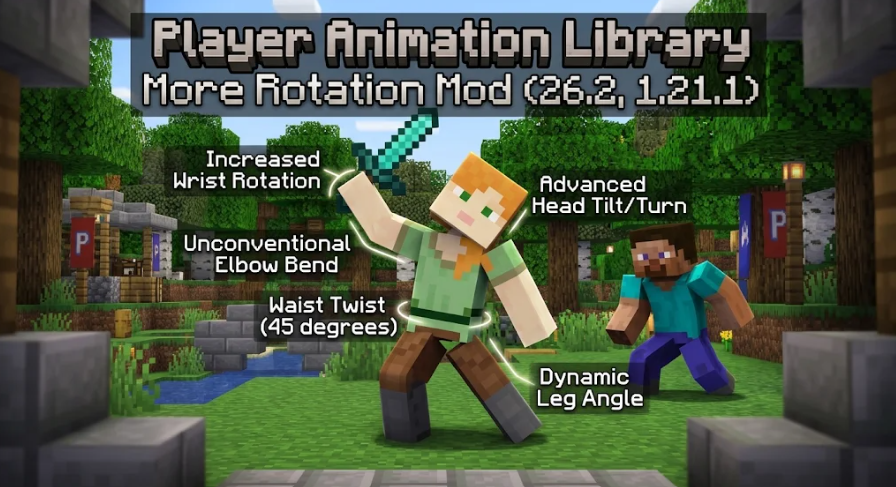
Features:
- Multi-Axis Body Bending: Expands player body bend deformation to work across multiple axes instead of staying locked to one direction.
- Position and Scale Channels: Lets bend bones change their position and size using
bend.positionandbend.scalechannels, where1equals the original size. - Better Held-Item Rotation: Improves held-item animations so weapons, tools, and action poses apply Y and Z axis rotations with better accuracy.
- Improves the rotation behavior for specific player animation bones such as
torso,right_arm,left_arm,right_leg, andleft_leg. - Keeps existing animations and older single-value bend formats working alongside newer array-style values.
- Provides built-in play, stop, and server sync tools that other mods can call directly.
Configuration:
bend.rotation: sets multi-axis bend angles across keyframes.bend.position: shifts the local position of a bend bone during an animation.bend.scale: multiplies the size of a bend bone, using1as the default size.
Example JSON format for a bend bone using rotation, position, and scale:
Copy"left_arm": {
  "bend": {
    "rotation": {
      "0.0": { "post": [0, 0, 0] },
      "0.5": { "post": [35, 20, -15] },
      "1.0": { "post": [0, 0, 0] }
    },
    "position": {
      "0.0": { "post": [0, 0, 0] },
      "0.5": { "post": [2, 1, 0] },
      "1.0": { "post": [0, 0, 0] }
    },
    "scale": {
      "0.0": { "post": [1, 1, 1] },
      "0.5": { "post": [1.25, 0.8, 1] },
      "1.0": { "post": [1, 1, 1] }
    }
  }
}
How to Use:
- Install the PAL Bend Player Tools plugin in Blockbench and create a new project using
PAL Bend Player Animation. - Import an existing animation JSON if you want to edit or convert an older file.
- Animate the visible player bones in Blockbench using the
*_bendhelper bones for easy editing. - Export your finished work using the
PAL: Export Player Animationoption so the helper bones convert into real bone data. - Place the exported JSON file into the
assets/<namespace>/player_animations/folder inside your resource pack or mod.