Veltrix Client Mod (1.21.11)
Veltrix Client Mod packs base-hunting scanners, PvP helpers, and custom screen overlays into one clean in-game menu. You can track down hidden stashes, react faster in crystal fights, and automate boring tasks like eating or walking. Everything sits inside five dark category cards with clear hover descriptions for every tool. Players also get full control over lighting, camera angles, and on-screen stats.
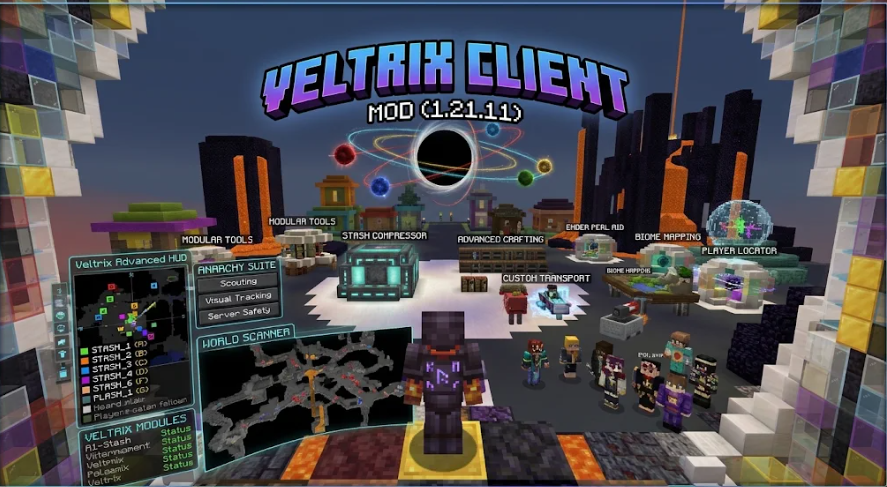
Features:
- Clean Five-Column Menu: Organizes all tools into five rounded dark cards with header icons for Base Finding, Combat, Visuals, Veltrix+, and Misc, marking active modules with a bright left bar and showing blue-titled tooltips on hover.
- Base and Chunk Scanners: Spots hidden stashes and underground activity using Sus Chunk Finder, Prediction, Storage ESP, Spawner ESP, Block ESP, Suspicious ESP, and Block Entity Debug.
- Combat and Crystal Helpers: Gives you fast PvP tools including Crystal Optimizer, Auto Totem, Shield Breaker, Trigger Bot, Aim Assist, and Hitbox adjustments.
- Visual and world-rendering options let you see clearly with Player ESP, NameTags, Fullbright, Night Mode, No Render, Aspect Ratio, Viewmodel, Swing Speed, Liquid Glass, and Visuals V2.
- Camera and travel tools include Freecam, Free Look, Auto Walk, Pearl Trajectory, Auto RTP, and Home Setter for scouting areas and moving across the map.
- Built-in macros handle everyday chores with Auto Clicker, Auto Eat, and Auto Tool, paired with privacy shields like Skin Protect, Name Protect, and Fake Stats.
- Screen overlays and extras bring Armor HUD, Inventory HUD, Admin HUD, Music HUD, Region Map, Radar, Radio, GUI tweaks, and Discord Presence, with individual module settings behind a quick click.
Best Used For:
- Surviving on long-running anarchy servers where finding secret bases and hiding your player info matters.
- Fighting in fast crystal PvP matches with quicker crystal hits, automatic totems, and shield breaking.
- Spotting hidden chests, spawners, and suspicious chunks without digging random tunnels underground.
- Automating repetitive work like walking huge distances, eating food, or switching to the right mining tool.
- Tuning your own HUD layout, sky time, brightness, and hand view to fit your personal setup.
How to Use:
- Press the End key while in a world to open the Veltrix Client Mod menu.
- Hover your mouse pointer over any module name to read its short description in the tooltip card.
- Click a module to switch it on or off, indicated by the bright bar along its left edge.
- Right-click a module or click its arrow icon to open and change its specific settings.